This is the most important page in this section, and it is the one we would rather you read than skip. Tesla's owner's manual advises against applying a screen protector to the touchscreen. The reasons the manual gives are unintended inputs to the touchscreen, delayed response or unresponsiveness to touch, and electrostatic discharge that can damage the touchscreen. The manual also states that any damage caused by installing a screen protector is not covered by the warranty.
That is a manufacturer position stated in the document that came with your car. It is not a legal disclaimer we are required to print, and it is not us being cautious. It is the single most relevant fact about this product category, which is why it sits above every pick on every screen-protector page on this site.
What it does and does not mean
| Question | Answer |
|---|---|
| Does fitting a protector void my whole vehicle warranty? | No. Nothing in the manual says that. |
| Is damage caused by fitting one covered? | No. The manual excludes it explicitly. |
| Does Tesla recommend against fitting one? | Yes, explicitly. |
| Would a service center notice? | A fitted protector is visible. Assume it will be seen. |
| Could an unrelated display fault still be covered? | That is a judgment a service center makes. A fitted protector weakens your position on anything display-related. |
Why Tesla's reasoning is plausible
A capacitive touchscreen senses the change in an electric field caused by a fingertip. Anything placed between finger and sensor attenuates that signal, and the thicker the material, the more it attenuates. That mechanism is consistent with all three symptoms the manual lists: phantom inputs when the field is distorted, sluggish or missed touches when the signal is weakened, and a static discharge path where there was not one before.
We have not fitted protectors to these cars and cannot tell you how often any of that actually happens. Plenty of owners report no problems at all. But the mechanism is real, and the warranty exclusion is in writing.
Quick picks
| # | Product | Best for | Score | Price |
|---|---|---|---|---|
| 1 | 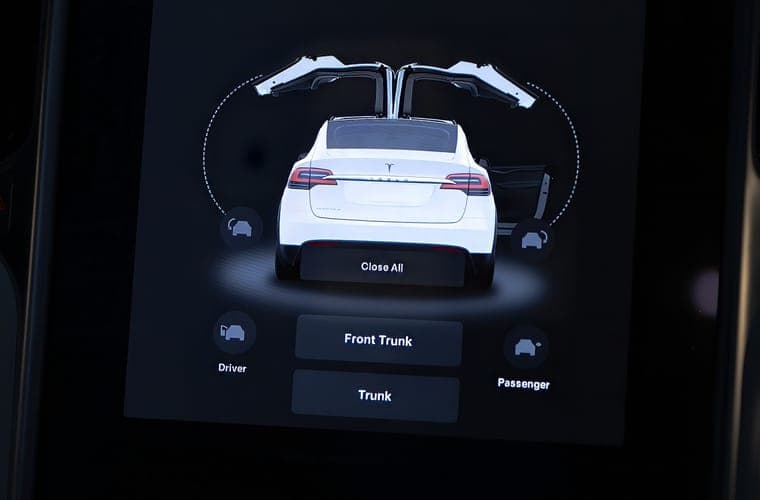 TOPABYTE screen edge protector frame The compromise for anyone who read Tesla's guidance and decided not to cover the screen. | The alternative that avoids all of this | 8.6 | |
| 2 |  Supershieldz 15-inch tempered glass The sensible legacy-screen option, and thin glass is the right instinct here. | If you proceed, go thin | 8.2 | |
| 3 | 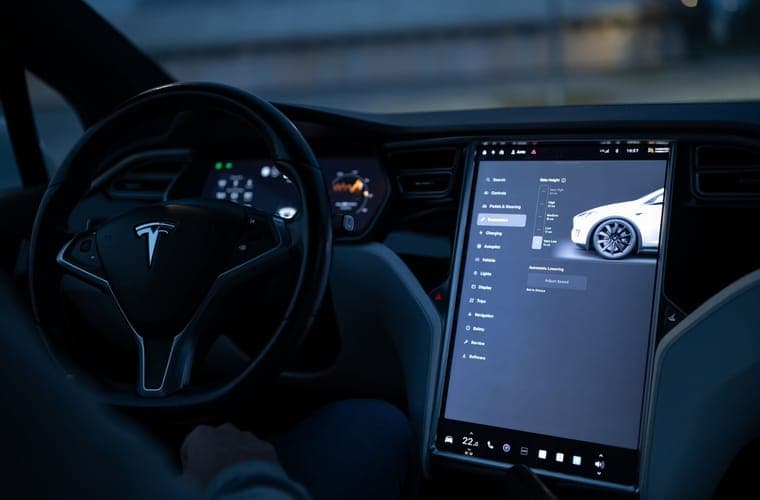 REEVAA 15.4-inch matte anti-glare tempered glass The 15.4-inch matte benchmark, and the alignment frame is why. | If glare is the real reason | 8.7 |
Scores are our editorial assessment of fitment scope, published materials and coverage. They are not lab measurements and we have not tested these products.
1. The alternative that avoids all of this
TOPABYTE screen edge protector frame
A bezel frame protects the display surround and corners without applying anything over the touch layer, so Tesla's stated concerns do not apply to it. It does nothing about scratches or glare on the glass itself.
Best for: Owners who want the bezel protected without covering the glass
Fits: Model Y Juniper (2025-2026) · Model 3 Highland (2024-2026) · Model Y (2020-2024) · Model 3 (2017-2023)
What works
- Avoids Tesla's stated concerns entirely, because nothing is applied over the touch layer
- Protects the corner the display is most often knocked against
What does not
- Does nothing about scratches or glare on the glass itself
- Sold as part of a bundle, so you may be buying two pieces you did not want
Manufacturer specifications
- Frame that protects the display surround, not the touch surface
- Part of a three-piece console accessory set
- Listed as compatible with the 2026 Model Y Juniper
Specifications as published by the manufacturer. We have not independently tested this product.
Specification sources: TOPABYTE 3-piece center console accessory set, Tesla Model 3 Owner's Manual (North America PDF) — touchscreen care
2. If you proceed, go thin
Supershieldz 15-inch tempered glass
At 0.33mm this is the thinnest glass we found, and thickness is the mechanism by which any protector attenuates a capacitive sensor. No alignment frame, and 15-inch displays only.
Best for: Legacy Model Y and pre-Highland Model 3 owners on a budget
Fits: Model Y (2020-2024) · Model 3 (2017-2023)
What works
- The thinnest glass in this group, which is the main variable in how much the touch layer is affected
- Covers the 15-inch panel that the newer 15.4-inch parts will not fit
- Cheap enough to treat as consumable
What does not
- No alignment frame
- A general accessory brand rather than a Tesla specialist, so fitment support is thinner
Manufacturer specifications
- 0.33mm tempered glass
- Cut for the 15-inch display used by the 2020-2024 Model Y and 2017-2023 Model 3
- Marketed as anti-scratch and bubble-free
Specifications as published by the manufacturer. We have not independently tested this product.
Specification sources: Supershieldz 15-inch tempered glass for Model 3 and Model Y
3. If glare is the real reason
REEVAA 15.4-inch matte anti-glare tempered glass
Matte anti-glare 9H glass with an alignment frame — the product that best addresses the legitimate reason to fit a protector. Matte costs some map sharpness, and it does not fit a 16-inch display.
Best for: Highland and Juniper owners who want glare gone, not just scratches prevented
Fits: Model 3 Highland (2024-2026) · Model Y Juniper (2025-2026)
What works
- The alignment frame is the difference between a clean first attempt and a bubbled mess
- Matte finish genuinely reduces the daytime reflections the glossy panel suffers from
- 15.4-inch cut is stated explicitly rather than left to a model-year guess
What does not
- Matte scatters light, so colors and map detail lose a little crispness
- Does not fit the 16-inch Premium or Performance display — a common and expensive mistake
Manufacturer specifications
- 9H tempered glass, matte anti-glare finish with an anti-fingerprint coating
- 15.4-inch cut, listed for 2024-2026 Model 3 Highland and the 15.4-inch Juniper display
- Supplied with an alignment frame
Specifications as published by the manufacturer. We have not independently tested this product.
Specification sources: REEVAA 15.4-inch matte anti-glare screen protector listing, Model Y screen-size fitment: 15.4 vs 16-inch
How to decide
Separate the two reasons people buy these, because they have different answers.
- Scratch protection. Ask whether it has happened. This is a vertical display that nothing rests against, touched by fingertips rather than keys. If your car is several years old and the display is unmarked, the risk you are insuring against is low — and you would be accepting a documented risk to mitigate an undocumented one.
- Glare. This is the legitimate case. These displays are large, nearly vertical and reflect sky and bright trim, and a matte finish genuinely fixes it. If glare is why you are here, buy matte and accept the trade-off knowingly.
- Neither, really — you just read that protectors exist. Then do not fit one. That is the honest answer and it costs you nothing.
The middle option nobody mentions
A screen edge protector frame covers the bezel and the display's corners and applies nothing over the touch surface. It protects the most physically vulnerable part — the corner that gets knocked by a bag or a hand — while leaving the capacitive layer untouched, so none of the manual's concerns apply. It does nothing about glare or surface scratches. For a lot of owners it is the most sensible purchase in this whole hub.
If you do fit one
- Buy the thinnest option that suits you — see tempered glass vs film.
- Get the size right. There are three center-display sizes across these cars and the model year does not tell you which you have — see screen sizes by generation.
- Fit it carefully, in still air, with the display off — see installing without bubbles.
- If you notice unintended inputs or delayed touch afterwards, take it off. That is the manual's stated failure mode, not something that beds in.
- Keep it off before any service visit involving the display, so there is no ambiguity.
What we are not going to do
We are not going to tell you the warning does not matter, and we are not going to refuse to show you products either. Both would be dishonest in different directions. The manual says what it says; the products exist and many owners use them happily; the decision is yours with the facts in front of you.
Questions people actually ask
Does a screen protector void a Tesla warranty?
It does not void the vehicle warranty. Tesla's manual states that damage caused by installing a screen protector is not covered, and advises against fitting one at all.
Why does Tesla advise against them?
The manual cites unintended inputs to the touchscreen, delayed response or unresponsiveness to touch, and electrostatic discharge that can damage the display.
Would a service center know?
A fitted protector is visible. Assume it will be noticed, and remove it before any service visit involving the display.
Is there a way to protect the screen without the risk?
A bezel frame protects the surround and corners with nothing over the touch layer. It does not help with scratches or glare on the glass itself.
Sources
- Tesla Owner's Manual (North America PDF) — touchscreen care and screen-protector guidance
- Tesla Owner's Manual — cleaning the touchscreen
- Does a Tesla need a screen protector?
- TOPABYTE screen edge protector frame
Specifications and fitment claims on this page come from the manufacturer and retailer pages listed above. We have not tested these products and do not claim to have.
Read next
Guides
Do You Need a Tesla Screen Protector?
The case for and against, separated by what you are actually worried about — scratches, glare or fingerprints.
Screen Protectors
Tesla Model Y and Model 3 Screen Sizes by Generation
The full display-size reference: 15, 15.4 and 16-inch, with resolutions and how to confirm yours.
Screen Protectors
Tempered Glass vs Film Screen Protectors
Glass against film on thickness, touch response and scratch resistance — and why Tesla's warning tilts the answer.
Screen Protectors
Install a Tesla Screen Protector Without Bubbles
A step-by-step install method for a large protector: dust control, alignment and bubble recovery.
Screen Protectors
Matte vs Glossy Tesla Screen Protectors
Matte against glossy: what each finish costs you, and which to pick by display resolution and how you use the car.